How to use BoilProtect - (Video)
Issue
How to use BoilProtect
Applies to
- Induction Cooktop
Solution
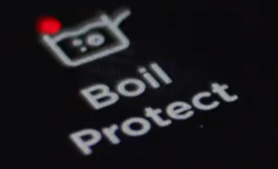
BoilProtect The function automatically adjusts the temperature of water so that It does not boil over once it reaches the boiling point.
Hints & Tips for SenseBoil®
The function works best for boiling water and preparing potatoes Note: If any of the cooking zones have residual heat an acoustic signal is emitted and boil protect will not function.
- Touch on/off to turn on the Hob
- Touch BoilProtect for 1 second to activate. The boil protect symbol will appear on the cooking zone where BoilProtect is on
- Touch the control bar of any available cooking zone for which you want to start the function (between the heat setting 1-9).
- When the function detects the boiling point, the hob emits an acoustic signal, and the heat level automatically changes to 5
Important
It does not work with cast iron and non-stick cookware, e.g. with a ceramic coating. Enamelled steel pots are recommended for achieving the best results while boiling potatoes.
Check if the pot you chose is suitable for SenseBoil® by monitoring the first cooking session.
To use SenseBoil® efficiently follow the advice below:
- FiIl between half to three quarters of the pot with cold tap water leaving 4 cm from the rim of the pot empty. Do not use less than 1 or more than 5 litres of water. Make sure the total weight of the water (or the water and potatoes) ranges between 1-5 kg.
- If you want to cook potatoes, make sure they are completely covered with water, but remember to leave at least one quarter of the pot empty.
- To achieve the best results, cook only whole, unpeeled, medium-sized potatoes.
- Make sure you do not pack potatoes too tightly.
- Avoid producing external vibrations (e.g. from using a blender or placing a mobile phone next to the appliance) when the function is running.
- If you want to use salt, add it after the water reaches the boiling point.
- The function may not work properly for water kettles and espresso pots
Was this article helpful?
Related Articles
- The Hob2Hood function does not work with the cooker hood
- How to use - The Quick Start Guide for your Oven (Video)
- How to use you TFT Touch Control panel - Video
- Discoloured marks or bubbles ceramic glass cleaning tips - Video
- How to use the Steam Cooking Functions - (video)
- How to Set the clock - Full touch electronic control (Video)
- How to use 2-level AirFry - (Video)
- How to set Timer and delayed start - TFT Touch Control panel - (Video)
- How to use the PyroClean function - (Video)
- How to Set your Clock Time – Touch control / 3 button clock (Video)
Related Articles
- The Hob2Hood function does not work with the cooker hood
- How to use - The Quick Start Guide for your Oven (Video)
- How to use you TFT Touch Control panel - Video
- Discoloured marks or bubbles ceramic glass cleaning tips - Video
- How to use the Steam Cooking Functions - (video)
- How to Set the clock - Full touch electronic control (Video)
- How to use 2-level AirFry - (Video)
- How to set Timer and delayed start - TFT Touch Control panel - (Video)
- How to use the PyroClean function - (Video)
- How to Set your Clock Time – Touch control / 3 button clock (Video)