How to set Timer and delayed start - TFT Touch Control panel - (Video)
Issue
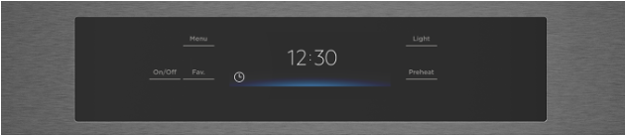
How to set Timer and delayed start - TFT Touch Control panel
Applies to
- Built-in oven
- Freestanding Oven
Solution
Learn how to use the timer function of your Westinghouse Oven in this video. You will learn how to:
- Set timer
- Change timer settings
- Set delay start of cooking
Was this article helpful?
Related Articles
- The Hob2Hood function does not work with the cooker hood
- How to use - The Quick Start Guide for your Oven (Video)
- How to use you TFT Touch Control panel - Video
- Discoloured marks or bubbles ceramic glass cleaning tips - Video
- How to use the Steam Cooking Functions - (video)
- How to Set the clock - Full touch electronic control (Video)
- How to use 2-level AirFry - (Video)
- How to use BoilProtect - (Video)
- How to use the PyroClean function - (Video)
- How to Set your Clock Time – Touch control / 3 button clock (Video)
Related Articles
- The Hob2Hood function does not work with the cooker hood
- How to use - The Quick Start Guide for your Oven (Video)
- How to use you TFT Touch Control panel - Video
- Discoloured marks or bubbles ceramic glass cleaning tips - Video
- How to use the Steam Cooking Functions - (video)
- How to Set the clock - Full touch electronic control (Video)
- How to use 2-level AirFry - (Video)
- How to use BoilProtect - (Video)
- How to use the PyroClean function - (Video)
- How to Set your Clock Time – Touch control / 3 button clock (Video)